

The honest comparison
The best poker timer for your game
By All In Central · Updated
The best poker timer depends on what you're running. For a home game or club night, a free browser timer that goes fullscreen on a TV — blinds, breaks, payouts and average stack on one screen — covers everything most games need. Paid desktop software earns its price only when you run a league and want season-long stats. Below is an honest look at the main options in 2026, including where ours is not the right pick.
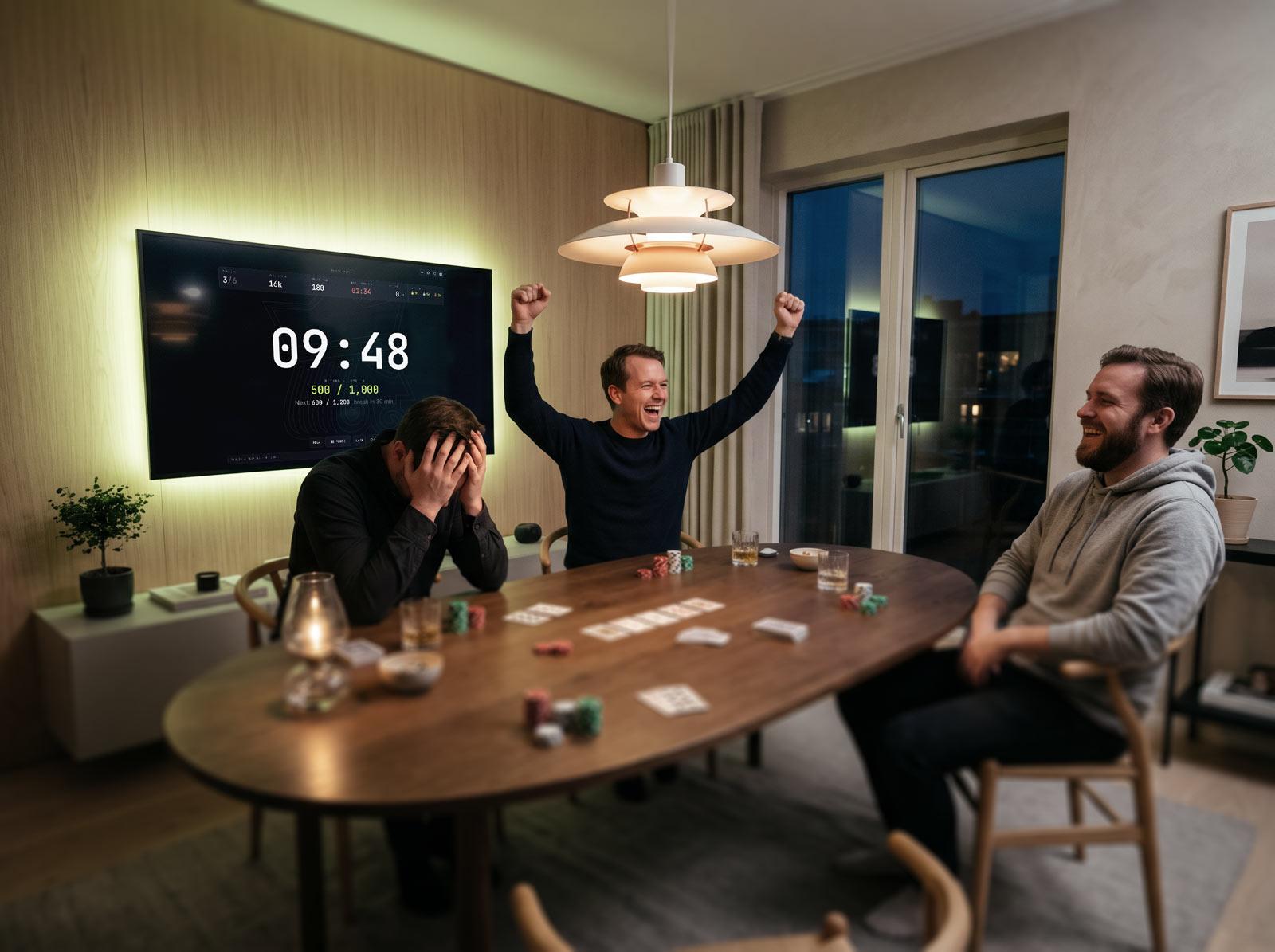
How we compare:we judge every tool against the same seven checks below — the things that actually decide whether a timer survives contact with a real poker night — and we re-check pricing and features quarterly. Full disclosure: we build one of the timers on this list, so we're explicit about where ours is not the right choice, and every claim about the others is something you can verify on their own sites in two minutes.
What actually matters in a poker timer
Strip away the feature lists and a tournament clock has one job: keep the game honest without anyone babysitting it. In practice that comes down to seven things:
- Readable across the room — the player in seat 9 should see the blinds without squinting.
- The next level visible — so nobody is surprised when the blinds go up mid-hand.
- A countdown that doesn't drift — a timer that loses seconds over four hours ends arguments badly.
- Breaks and antes handled — built into the structure, not bolted on.
- Payouts done for you — the prize pool should split itself the moment you set the buy-in.
- Zero setup friction — if it needs an install or an account, half your table gave up already.
- A screen that stays awake — nothing kills the vibe like a screensaver at the final table.
Running the timer on a TV, Chromecast or laptop
Whichever timer you pick, the setup question is the same: how do you get it onto the screen everyone can see? Three ways, in order of reliability:
- HDMI cable from a laptop — the gold standard. Plug in, go fullscreen, done — no pairing, no dropouts, and you control the clock from the keyboard in front of you.
- Casting (Chromecast / AirPlay) — mirror the laptop screen or browser tab to the TV. It works well with one caveat: cast the whole screen rather than a single tab where you can, and check the laptop doesn't sleep — a browser timer with a wake lock (ours holds one) keeps the picture alive.
- The TV's own browser — smart-TV browsers can open a web timer directly, but remote-control input makes mid-game changes painful. Fine for pure display; keep a phone or laptop handy for marking bust-outs.
Whatever the route, do a thirty-second rehearsal before people arrive: fullscreen on, numbers readable from the far end of the table, screen saver defeated. That rehearsal is where YouTube-video timers and phone apps usually get quietly replaced.
The main options in 2026
All In Central — free browser timer (this site)
Our own poker timer is a free, no-signup clock built for the big screen: blind levels with antes and breaks, automatic prize-pool payouts for 1–50 places, live average stack and players-left, and a fullscreen mode that keeps the screen awake all night. Add player names and it draws random seats, balances tables as people bust, and shows the final standings — who won and what each place pays — the moment one player has all the chips. The blind-structure, chip-distribution and payout calculators feed straight into it, and there's an odds calculator for settling the break-time arguments. The honest limitation: it runs one tournament at a time. There are no season standings, no player database, no multi-tournament history — if you want league stats, look at the two tools below.
The Tournament Director — desktop software for stats keepers
The Tournament Director has been the gold standard of tournament software for years, and for good reason: nearly everything is configurable, and it tracks players, leagues and seasons in depth. It is Windows-only desktop software with a one-time license (around $59 — check current pricing), and that depth comes with a learning curve. For a weekly league that cares about season points, it's worth every cent. For a birthday-party tournament, it's a lot of machine for the job.
Travis Poker Timer — free browser timer with league add-ons
Travis Poker Timer is another free, browser-based clock that has been around a long time and does the core job well, with an optional league -management system on top. If you're comparing free browser timers, try both and keep whichever feels quicker to set up — that friction is what decides whether the timer actually gets used at 19:58 with nine people at the table.
Blind Valet — cloud platform for clubs
Blind Valet is a cloud-based tournament manager: clock, structures, payouts and league standings synced across devices, with staff able to manage seating and eliminations from their phones. The free tier is limited and the useful features sit behind a subscription — sensible for a club running a season, unnecessary for a home game.
Mobile apps, YouTube videos and spreadsheets
Phone apps work in a pinch but put the clock on the smallest, most pocketed screen in the room. YouTube “poker timer” videos are genuinely free but completely rigid — pause for a pizza delivery and your structure is out of sync, and there are no payouts or rebuys. Spreadsheets plus a kitchen timer ran home games for decades, but you're the one doing the maths at midnight.
Side by side
Swipe the table sideways to see every column →
| Timer | Type | Price | Sign-up | Payouts | Big screen | Best for |
|---|---|---|---|---|---|---|
| All In Central | Browser (any device) | Free | None | Automatic, 1–50 places | Yes — fullscreen, stays awake | Home games & club nights |
| The Tournament Director | Windows desktop | One-time license (~$59) | Purchase | Yes, deeply configurable | Yes | Serious leagues & stats keepers |
| Travis Poker Timer | Browser | Free | None (league features optional) | Yes | Yes | Home games & small leagues |
| Blind Valet | Cloud / web | Free tier, paid plans | Account for most features | Yes | Yes | Clubs managing seasons online |
| Mobile timer apps | iOS / Android | Free with ads / paid | Varies | Sometimes | Small screen | Quick two-table cash setups |
| YouTube videos / spreadsheets | Any | Free | None | No | Video only, can't adjust | One-off games with zero changes |
Details as of July 2026 — pricing and features change, so check each tool's site before you commit. Bullets.poker, a long-time favorite, shut down on 30 June 2026; here's what we recommend instead.
Which one should you pick?
- A home game or one-off club night: a free browser timer. No install, no account, on the TV in under a minute. That's the game we built our timer for.
- A weekly league with season standings: The Tournament Director (Windows, deepest stats) or Blind Valet (cloud, easiest to share) — the paid features are the point.
- No laptop in the house: a phone app on a stand beats a YouTube video — at least it pauses properly.
Judge it in thirty seconds
A timer is easier to judge running than described. This is the live clock face — set your buy-in and structure and it looks like this on the TV, with payouts and average stack updating as people bust:
Common questions
- What is the best free poker timer?
- For most home games, a free browser-based poker timer is the best pick: nothing to install, it runs fullscreen on a TV, and everyone can see the blinds. All In Central and Travis Poker Timer are both free and need no account. All In Central adds automatic prize-pool payouts, average-stack tracking and built-in blind-structure and chip calculators.
- What is the best poker timer app for a phone?
- Dedicated mobile apps work, but a phone is the weakest screen in the room — it's small, it locks, and it's usually in someone's pocket when the blinds go up. A better setup is a browser timer on a laptop or tablet propped where everyone can see it, or cast to the TV. If you do use a phone, pick an app that keeps the screen awake and shows the next level.
- What is the best poker timer for running on a TV?
- Use a browser-based timer with a fullscreen big-screen mode and cast or plug a laptop into the TV. The numbers should be readable from across the room and the screen must stay awake for the whole session — All In Central's clock is designed around exactly that.
- Do I need to pay for a poker timer?
- Not for a normal home game. Paid tools like The Tournament Director (Windows, one-time license) or cloud platforms with subscriptions earn their money on league features: season stats, player databases, multi-table management. If you just need blinds, breaks and payouts on a big screen, a free timer does the whole job.
- Can I just use a YouTube poker timer video?
- You can, but timer videos are rigid: you can't change the structure mid-game, pause for a longer break without desyncing, or handle rebuys and payouts. An interactive timer costs the same (nothing) and stays correct when your game inevitably deviates from the plan.
- Is there a poker timer that works offline?
- Truly offline, only installed software — The Tournament Director on Windows runs with no connection at all. A browser timer like ours needs internet to load the page; after that the countdown runs locally in the tab, so a mid-game connection blip doesn't stop the clock — but don't rely on a browser tool for a cabin with no coverage.
- What's the best poker timer with both blinds and payouts?
- Pick a timer where the prize pool is wired into the clock, not a separate calculator. All In Central splits the pool automatically for 1–50 places and updates it live as rebuys come in; The Tournament Director does the same with even deeper configuration if you're on Windows and happy to pay.
- Will a browser poker timer keep the screen awake?
- Only if it explicitly requests a wake lock — otherwise the laptop sleeps mid-level and the room goes dark. Ours holds a wake lock for the whole session, and reclaims it when you switch back to the tab. If you use another tool, test it: start the clock, don't touch the mouse for ten minutes, and see what happens.